
Most business owners have heard of Elementor or Divi, but not ACF Pro & Custom Post Types — even though these two tools are exactly how experienced developers build fast, clean, genuinely custom WordPress websites without stacking a heavy page builder on top of everything.
If you’ve ever wondered why some WordPress sites feel snappy and easy to manage while others feel sluggish and fragile the moment you try to edit something, the answer is often right here — in how the site’s content structure was built in the first place.
What Is ACF Pro?
Advanced Custom Fields Pro (ACF Pro) is a WordPress plugin that lets developers add custom, structured fields to any page, post, or content type — things like an image gallery, a price, a set of testimonials, or a repeatable list of features — without hardcoding them or relying on a page builder’s drag-and-drop blocks.
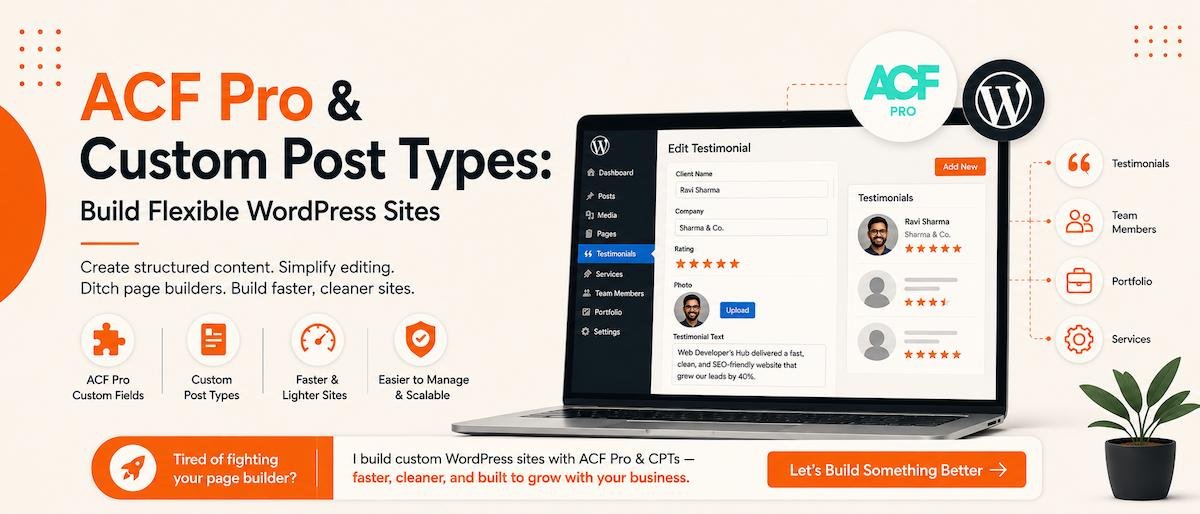
Instead of a client editing a wall of generic text blocks, they get a clean admin form: “Client Name,” “Testimonial Text,” “Star Rating,” “Photo” — exactly the fields relevant to that content, nothing more.
What Are Custom Post Types?
By default, WordPress gives you “Posts” and “Pages.” A Custom Post Type (CPT) lets a developer create additional content types specific to your business — “Testimonials,” “Team Members,” “Case Studies,” “Properties,” “Services” — each with its own fields, its own listing page, and its own structure.
Combine ACF Pro with Custom Post Types, and you get a content management system genuinely tailored to your business, instead of forcing every piece of content into the same generic “Page” template.
A well-built Custom Post Type turns “editing the website” into filling out a simple form — not fighting with a page builder.

Why Not Just Use a Page Builder?
Page builders like Elementor and Divi are popular because they’re approachable — drag, drop, done. But that convenience comes at a cost, especially as a site grows:
- Heavier code — page builders generate far more HTML/CSS/JS than necessary, which drags down Core Web Vitals scores.
- Inconsistent structure — every page can end up built differently, making the site harder to maintain over time.
- Fragile updates — page builder updates occasionally break layouts, spacing, or custom CSS in ways that are hard to predict.
- Editing risk — it’s easy for a well-meaning team member to accidentally break a page’s layout while “just editing some text.”
ACF Pro and Custom Post Types solve this by separating content from design. The developer controls how a testimonial looks; the client just fills in the testimonial text. Nothing to accidentally break.
💡 Worth Knowing
This isn’t an “instead of WordPress” approach — it’s still WordPress, still self-manageable, still SEO-friendly. It’s simply a more disciplined way of building on top of it, which is part of the broader WordPress vs React conversation around choosing the right foundation.
A Real Example: Testimonials Done Right
Say a business wants a testimonials section on their homepage. With a page builder, someone typically copy-pastes a “testimonial widget” for each new review, manually adjusting text boxes and star icons every time — a page builder learning curve for a non-technical business owner.
With a Custom Post Type, we’d build a “Testimonials” content type once, with fields for Client Name, Company, Rating, and Testimonial Text. After that, adding a new testimonial is just: click “Add New,” fill in four fields, publish. The homepage automatically pulls in and displays it correctly, styled exactly how the site was designed — every time, without exception.
When This Approach Makes Sense
- You have repeatable content types: team members, properties, portfolio items, services, case studies, testimonials
- You want a site that stays fast and clean as it grows, not slower with every new plugin
- You (or your team) will be adding content regularly and want a simple, foolproof way to do it
- You care about long-term SEO-friendly web design and page speed, not just how the site looks on day one
For a simple 4-page brochure site, a lighter setup may be all you need — see the tiered breakdown in WordPress website cost in Delhi NCR. But for any business with growing, structured content, custom-coded ACF Pro and CPTs tend to pay for themselves within the first year of maintenance.
🚀 Tired of fighting your page builder?
I build custom WordPress sites using ACF Pro and Custom Post Types instead of bloated builders — faster to load, easier to manage, and built to grow with your business. Let’s talk about your project →
Frequently Asked Questions about ACF Pro & Custom Post Types
What is ACF Pro used for in WordPress?
ACF Pro (Advanced Custom Fields Pro) is used to add structured, custom fields to WordPress content — like a rating, a price, or a photo — so that developers can build tailored, easy-to-edit content types instead of relying on generic page-builder blocks.
Do I still need a page builder if I use ACF Pro?
Not necessarily. Many custom-coded WordPress sites use ACF Pro and Custom Post Types alongside a hand-coded theme instead of a page builder, which typically results in a faster, more stable site.
Are Custom Post Types hard to maintain?
Once built, they’re usually easier to maintain than page-builder pages, since content is entered through simple, dedicated fields rather than a flexible (and more error-prone) drag-and-drop layout.
Is this approach more expensive than using a page builder?
It can cost a bit more upfront, since it involves custom development rather than assembling pre-made blocks, but it typically saves money over time through easier maintenance, better performance, and fewer things that can break.
Can ACF Pro and Custom Post Types help with SEO?
Indirectly, yes — cleaner code and lighter pages improve page speed and Core Web Vitals, both of which support better search rankings, and well-structured content types make it easier to add schema markup for things like reviews and services.