If you’ve ever checked your site in Google Search Console and seen “Core Web Vitals” flagged with a red or yellow warning, you’re not alone — it’s one of the most common technical SEO issues businesses run into. Here’s what Core Web Vitals actually measure, why Google cares, and what you can realistically do about it.
Core Web Vitals sound technical, but the idea behind them is simple: Google wants to rank pages that load fast, respond quickly, and don’t jump around while you’re trying to read or click something. Let’s go through each metric in plain language.
What Are Core Web Vitals?
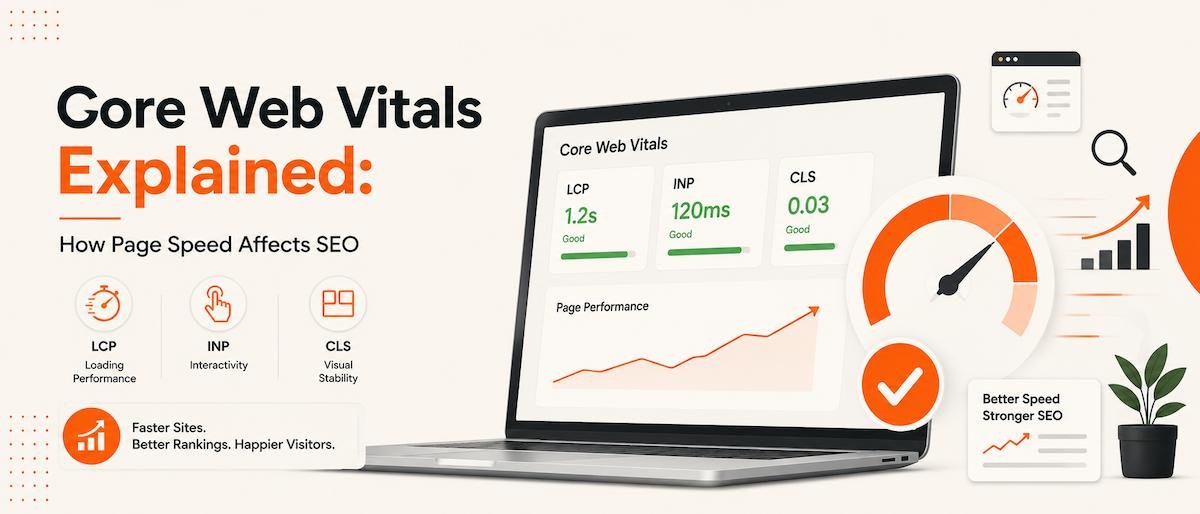
Core Web Vitals are three specific metrics Google uses to measure how a real visitor experiences your page:
- LCP (Largest Contentful Paint) — how long it takes for the main content to become visible
- INP (Interaction to Next Paint) — how quickly your page responds when someone clicks, taps, or types
- CLS (Cumulative Layout Shift) — how much the page layout jumps around while it’s loading
Together, these give Google a real-world sense of whether your site feels fast and stable, or slow and frustrating — regardless of what your homepage looks like in a screenshot.
Largest Contentful Paint (LCP)
LCP measures how long it takes for the largest visible element on the screen — usually a hero image, banner, or heading — to fully load. Google considers 2.5 seconds or faster a good score.
On WordPress sites, LCP is most often dragged down by large, unoptimized images, slow hosting, or a heavy theme loading too many resources before showing any real content.
Interaction to Next Paint (INP)
INP replaced the older “First Input Delay” metric and measures how responsive your page feels across the entire visit — not just the first click, but every interaction. A good INP score is under 200 milliseconds.
Sites with too much JavaScript running at once — often from stacked plugins, page builders, and third-party scripts (chat widgets, tracking pixels, sliders) — tend to struggle here, because the browser is too busy to respond instantly.
Cumulative Layout Shift (CLS)
CLS measures visual stability — how much things move around as the page loads. You’ve experienced bad CLS if you’ve ever tried to tap a button, only for an ad or image to load in above it and shift it out from under your finger. A good CLS score is under 0.1.
This is usually caused by images or ads without set dimensions, fonts loading late and reflowing text, or pop-ups/banners injected after the page has already rendered.
You don’t need a perfect 100/100 score to rank well. Google treats Core Web Vitals as one signal among many — but a genuinely slow, unstable site puts you at a real disadvantage against competitors who’ve fixed theirs.
Why Google Uses These as Ranking Signals
Google’s whole business depends on people trusting search results enough to keep clicking on them. A slow, janky page experience drives people back to the search results — which tells Google that result wasn’t a good match, even if the content itself was excellent.
Core Web Vitals are Google’s attempt to measure that experience directly, using real (or simulated) user data, rather than guessing from content alone. That’s also why they work alongside — not instead of — good SEO-friendly web design: strong content still needs a fast, stable site to actually rank.
Common Causes of Poor Scores on WordPress
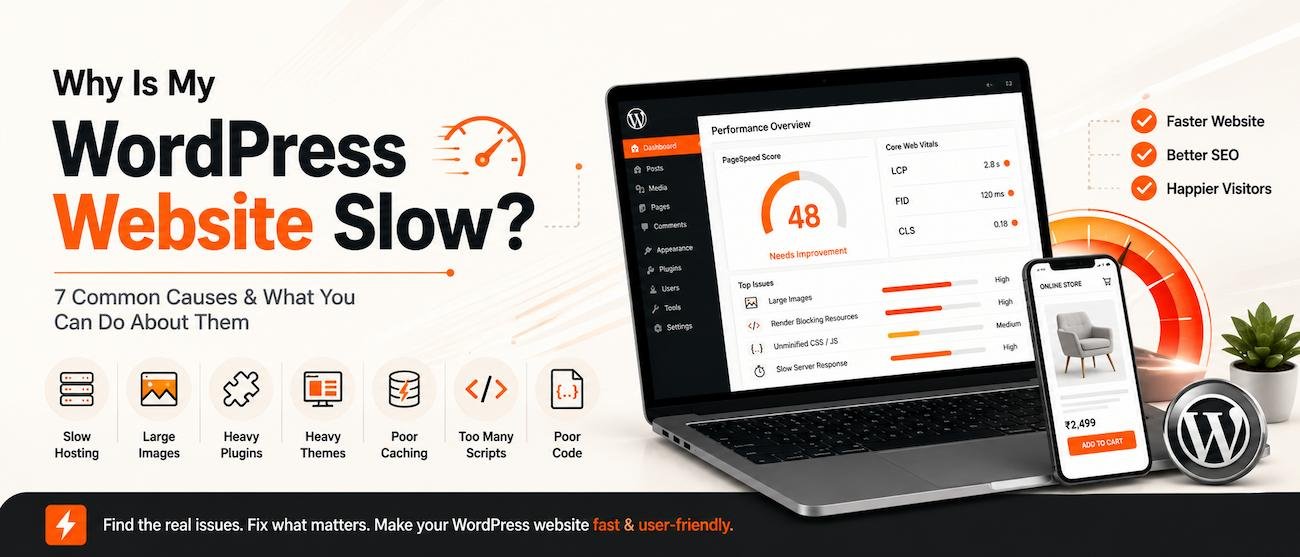
In my experience auditing client sites, the same handful of issues show up again and again:
- Unoptimized, oversized images (uploaded straight from a phone or camera at full resolution)
- Heavy, bloated themes built for “every possible use case” instead of your specific site
- Too many plugins doing overlapping jobs (three SEO plugins, two slider plugins, etc.)
- Render-blocking scripts and stylesheets loading before any content appears
- Cheap or oversold shared hosting struggling under real traffic
- Page builders (Elementor, Divi) generating heavier, less efficient code than hand-coded themes
Quick Wins to Improve Your Scores
You don’t need to rebuild your entire site to see real improvement. Some of the highest-impact fixes are:
- Compress and resize images before upload, and serve modern formats like WebP
- Enable caching so repeat visitors (and Google’s crawler) get pages served instantly
- Lazy-load images below the fold so they don’t compete with critical content for loading priority
- Audit your plugins and remove anything doing a job another plugin already handles
- Set explicit width/height on images and embeds so the browser reserves space and avoids layout shift
- Move to quality hosting if you’re on cheap shared hosting that struggles under normal traffic
For most business websites, a handful of these changes — done properly — is enough to move Core Web Vitals from “needs improvement” to “good” without a full rebuild. If your site is older or was built on a heavy page-builder stack, though, it may genuinely be time to consider a redesign rather than patchwork fixes.
I can run a free Core Web Vitals and performance audit on your site and tell you exactly what’s dragging your scores down — no guesswork, just a clear list of fixes. Get a free site speed audit →
Frequently Asked Questions
What are Core Web Vitals in simple terms?
Core Web Vitals are three measurements — loading speed (LCP), responsiveness (INP), and visual stability (CLS) — that Google uses to judge how a real visitor experiences your page, separate from the content itself.
Do Core Web Vitals really affect my Google ranking?
Yes, they’re a confirmed ranking signal, though a relatively small one compared to content relevance and backlinks. That said, a genuinely slow or unstable site can lose visitors and conversions regardless of ranking, so it’s worth fixing either way.
How can I check my Core Web Vitals scores?
Google Search Console has a dedicated “Core Web Vitals” report using real visitor data, and tools like PageSpeed Insights or Lighthouse give you a page-by-page breakdown along with specific recommendations.
Will switching page builders improve my Core Web Vitals?
Often, yes. Heavier page builders tend to generate more code and load more scripts than a clean, custom-coded WordPress theme, so moving away from a bloated builder can meaningfully improve LCP and INP scores.
How long does it take to fix Core Web Vitals issues?
It depends on the cause. Straightforward fixes like image optimization and caching can often be done in a day or two, while deeper issues — like a heavy theme or poor hosting — may take a more involved cleanup or a partial rebuild.