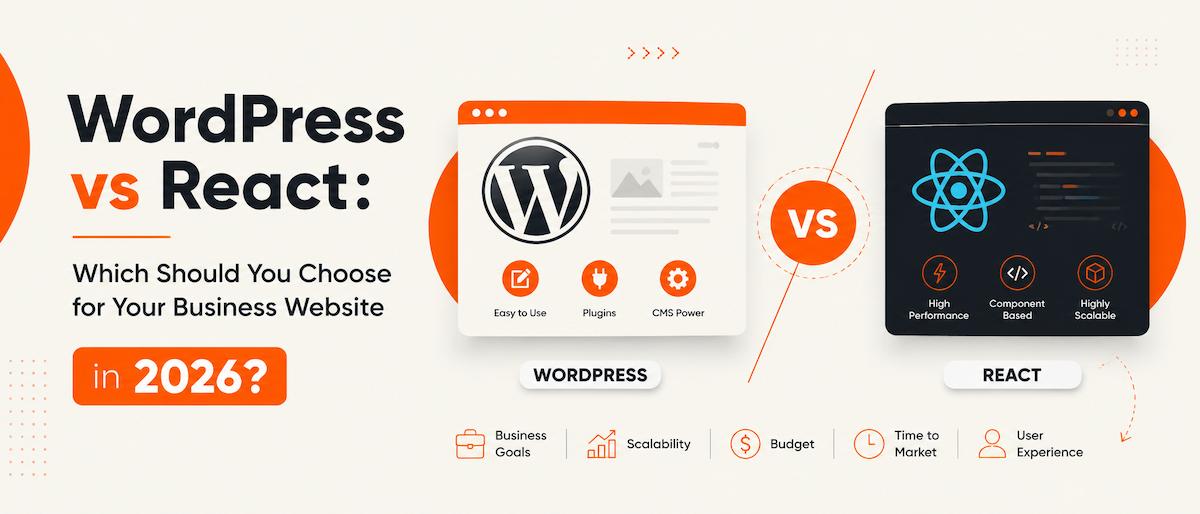
If you’re planning a new business website, you’ve probably run into this question within the first five minutes of research: WordPress vs React — which one should you actually build on? Both are excellent technologies — the real question in this WordPress vs React comparison isn’t which one is “better,” it’s which one is better for your business, right now.
It’s a fair question — and one I get asked by almost every new client. Both WordPress and React power millions of successful websites, and both can absolutely get the job done. In this WordPress vs React breakdown, I’ll walk through every factor that actually matters so you can make the right call for your project.
WordPress vs React: The Quick Answer
WordPress is a content management system (CMS). It’s built so that you — not a developer — can log in, add a page, update a price, or publish a blog post whenever you want.
React is a JavaScript library for building fast, interactive user interfaces. It doesn’t come with a CMS out of the box; it’s a framework developers use to build custom web applications and highly dynamic front-ends.
In other words, they’re not really direct competitors in the traditional sense — they’re built for different jobs. But since most business owners are choosing between “a WordPress website” and “a custom-coded React website,” the WordPress vs React comparison still matters, and here’s how it actually plays out.
1. Who Will Update the Website After Launch?
This is the single biggest factor, and the one most business owners underestimate.
With WordPress, once your site is live, you can edit text, swap images, add a new service page, or publish a blog post yourself — no developer required. That’s a huge deal if you (or your marketing person) want to keep the site fresh without emailing a developer every time.
With a React-only build, content changes usually require a developer, unless you invest extra time and budget building an admin panel or connecting a headless CMS behind it.
If you need to self-manage content, WordPress wins by a wide margin.
2. Cost and Timeline
WordPress has a mature ecosystem — themes, plugins, and years of established patterns — which usually means a faster build and lower upfront cost for a standard business website: service pages, a blog, a contact form, maybe a booking system. If you want exact numbers, I’ve broken down real 2026 pricing tiers in how much a custom WordPress website costs in Delhi NCR.
A custom React build takes longer because nearly everything is coded from scratch — there’s no “install and configure” shortcut the way there is with WordPress plugins. That extra time is worth it for the right project, but it’s rarely justified for a straightforward brochure or small business site.
3. Performance and Interactivity
This is where React genuinely shines. If your project involves:
- Real-time dashboards
- Highly interactive tools or calculators
- Complex, app-like user flows
- A product that behaves more like a web application than a website
…React (or a similar framework) gives you smoother, faster interactions because it updates the page dynamically instead of reloading it. A stock WordPress site can be made fast too, but it isn’t designed for app-like complexity the way React is.
You don’t have to choose one architecture forever. Many businesses start on WordPress and later move to a headless setup — WordPress as the backend, React as the frontend — once they need more advanced interactivity.
4. SEO
For most businesses, this matters more than anything else on this list — and it’s often misunderstood.
WordPress is SEO-friendly by default. It generates clean URLs, supports SEO plugins like RankMath, handles sitemaps, and structures content in a way search engines already understand well.
React sites can rank just as well, but it takes deliberate engineering — server-side rendering or static generation (via frameworks like Next.js), proper meta tag handling, and structured data. Skip that step, and a plain client-rendered React site can genuinely struggle to get indexed properly.
So the honest takeaway is: WordPress gives you strong SEO out of the box, React gives you strong SEO if it’s built correctly for it.
5. Scalability
Both scale well — but differently.
- WordPress scales through plugins, custom post types, and (when needed) custom-coded features layered on top of the CMS.
- React scales through custom architecture, meaning you can build almost anything, but it requires ongoing developer involvement as your product grows.
If you’re building a marketing website, a portfolio, a service business site, or a WooCommerce store, WordPress’ scalability ceiling is more than high enough. If you’re building a SaaS product or a highly custom web application, React’s flexibility becomes the bigger advantage.
WordPress vs React: So, Which One Should You Choose?
Here’s the decision framework I actually use with clients when this WordPress vs React question comes up:
- Choose WordPress if: you want to update content yourself, you need a blog/service pages/store, SEO is a priority, and you want a faster build at lower initial cost.
- Choose React if: the site needs to behave like an app, you need complex real-time interactivity, you have a dedicated team managing updates, and budget/timeline allow for a fully custom build.
For the vast majority of small and mid-sized businesses — service providers, e-commerce brands, agencies, local businesses — WordPress remains the smarter, more cost-effective choice, especially when it’s built custom rather than templated. See how this comes together in practice on my Web Design & Development service page.
For businesses building a genuine web application or product with heavy interactivity, React is worth the extra investment — check out examples of both approaches in my portfolio.
I build both — custom WordPress websites (WooCommerce stores, business sites, and everything in between) and React front-ends — so I can give you an honest recommendation based on your actual goals, not just the tech I prefer to sell. Let’s talk about your project →
Whichever way you lean, the WordPress vs React decision comes down to one thing: what your business actually needs the website to do. Below are the questions I get asked most often about this comparison.
Frequently Asked Questions
Is WordPress still good for business websites in 2026?
Yes. WordPress powers a large share of the web, and with proper custom development (not just templates), it remains fast, secure, and highly SEO-friendly for business websites of almost any size.
Can a React website rank well on Google?
Yes, but only if it’s built with SEO in mind from the start — typically using server-side rendering or static site generation (e.g., Next.js), along with proper meta tags and structured data. A plain client-side React app without this setup can struggle to get indexed.
Is it more expensive to build a website in React than WordPress?
Generally yes, for an equivalent business website, because React sites are coded from scratch rather than assembled from existing themes and plugins. React becomes cost-effective when the project genuinely needs its interactivity and scalability.
Can I switch from WordPress to React later if my business grows?
Yes — many businesses start with WordPress and later move to a headless setup (WordPress as the backend, React as the frontend) once they need more advanced interactivity, without losing their existing content.
WordPress vs React: which is better for SEO?
In the WordPress vs React comparison for SEO, WordPress wins out of the box, since it generates clean URLs, supports SEO plugins like RankMath, and structures content in a way search engines already understand well. React can rank just as well, but only if it’s built with server-side rendering or static generation and proper structured data — without that setup, a plain React site can struggle to get indexed at all.
Is React harder to maintain than WordPress?
Generally, yes. WordPress lets non-developers make day-to-day content updates through its dashboard, so ongoing maintenance doesn’t always require a developer. A React site typically needs a developer for most changes, unless you’ve specifically built an admin panel or connected a headless CMS behind it.